English Coach
FloatyTouch · v1.9
Phase-aware coach (warm-up, draft, review, master). Grades IELTS writing band 5 to 9, drills vocab from any screen, marks tone and register. Same flow for TOEIC, business email, and casual chat.
Used by 600+ learners
Ask GPT about an error on screen, drill IELTS vocab from an article, draft a job application email — translation built in — without leaving the app you are in.
Free · No card · Watch a short ad for AI credits
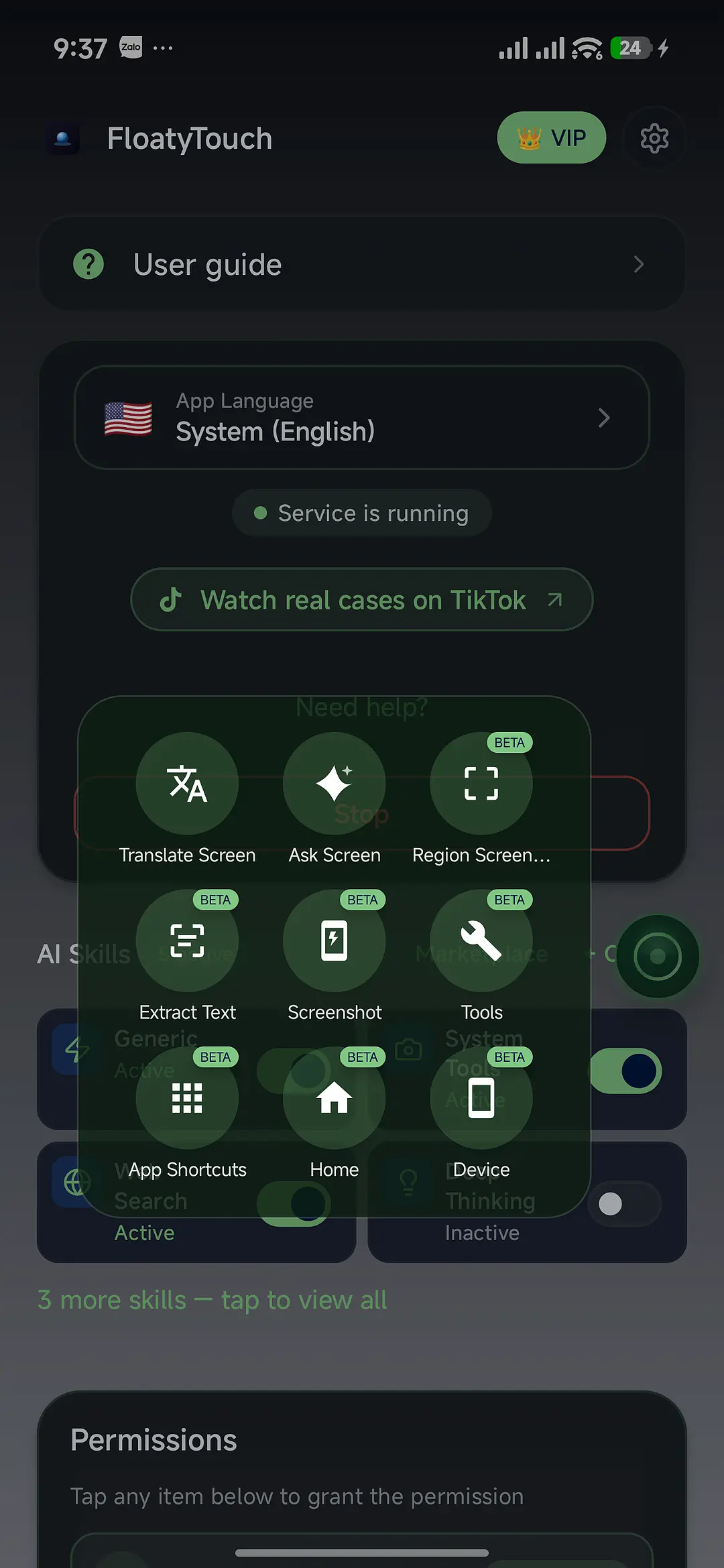
Five things people opened Floaty Touch for this week.
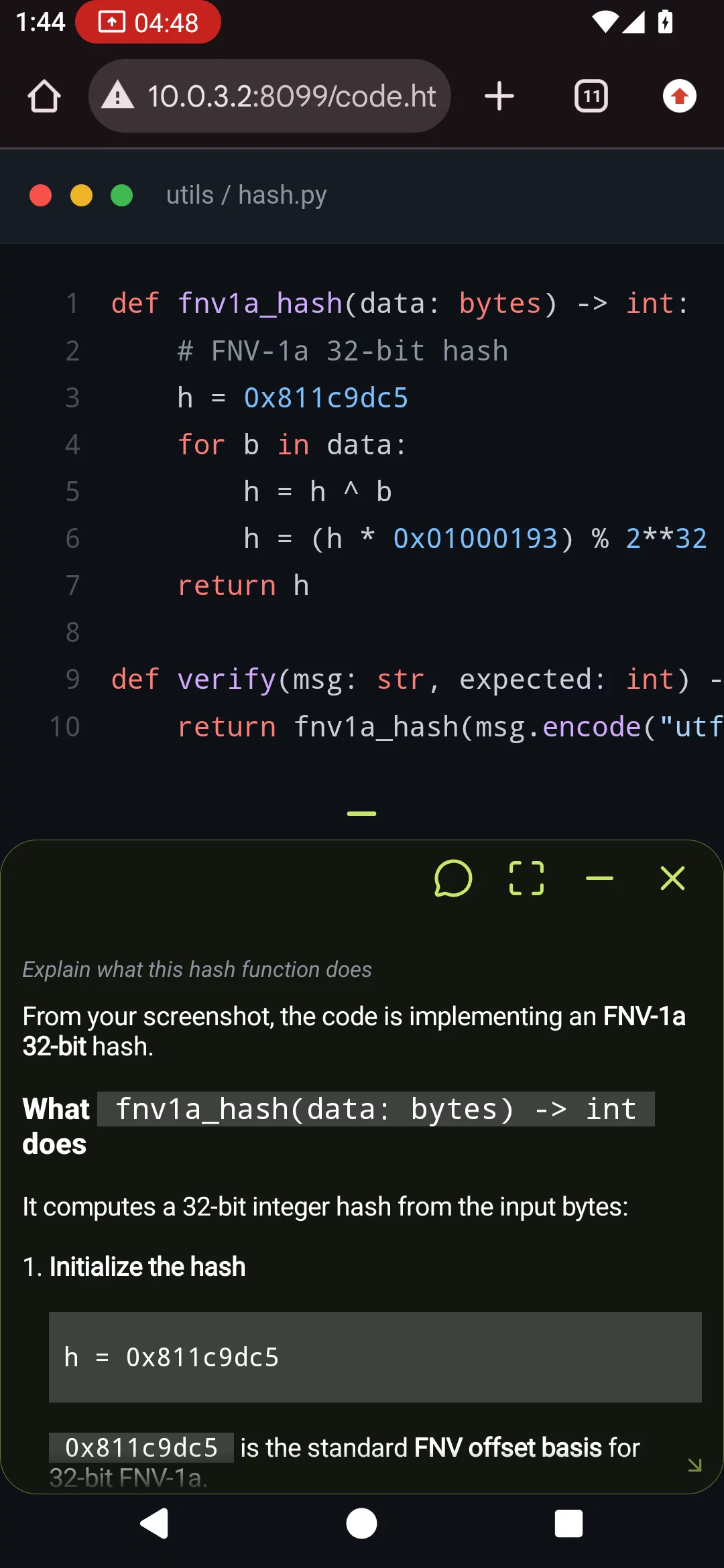
Screenshot a code review, ask in English, get the explanation in the same frame. No switching to ChatGPT.

Job post in Vietnamese — AI drafts the application email in English and opens Gmail ready to send.
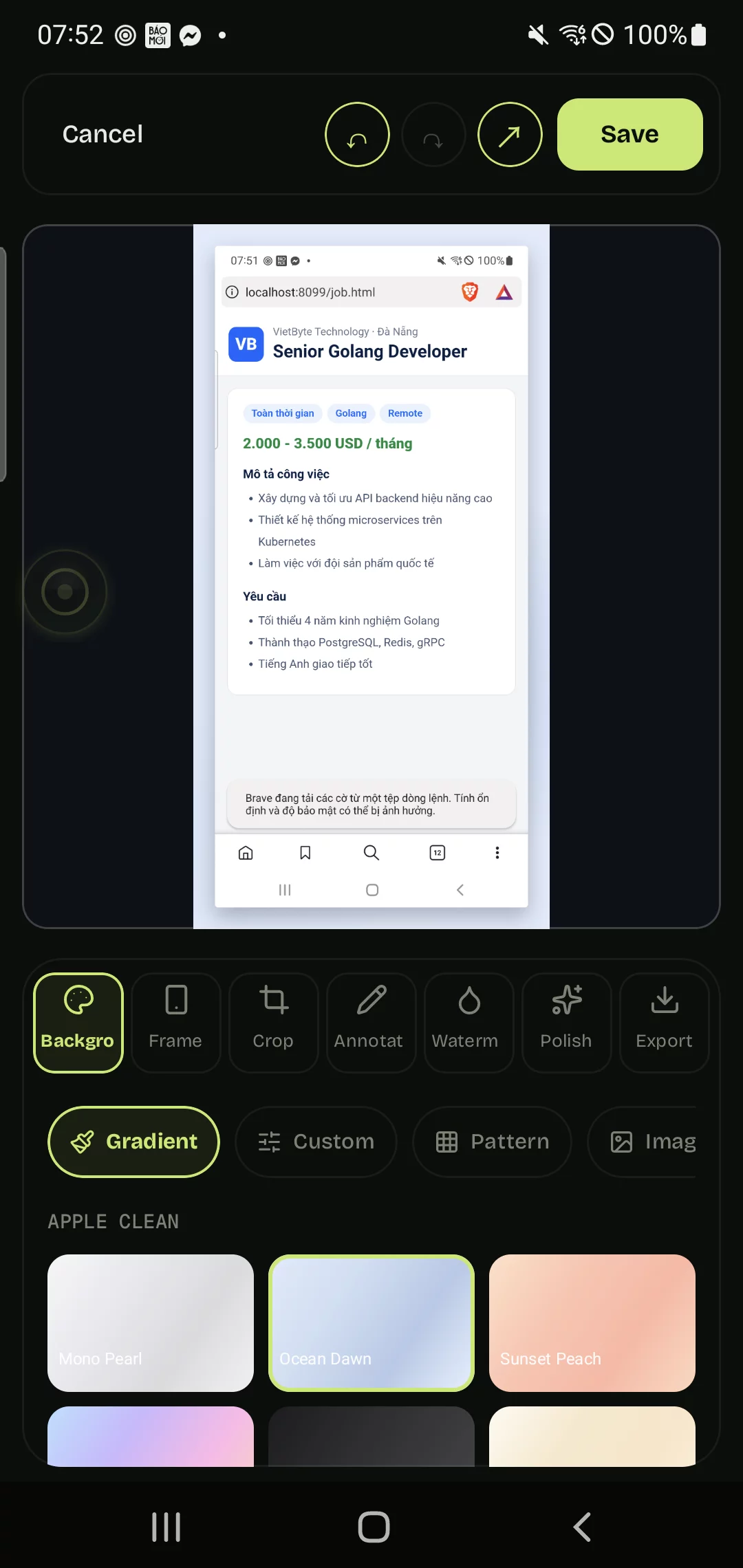
Capture, then style it: gradient background, frame, crop, annotate, watermark — export in one tap.
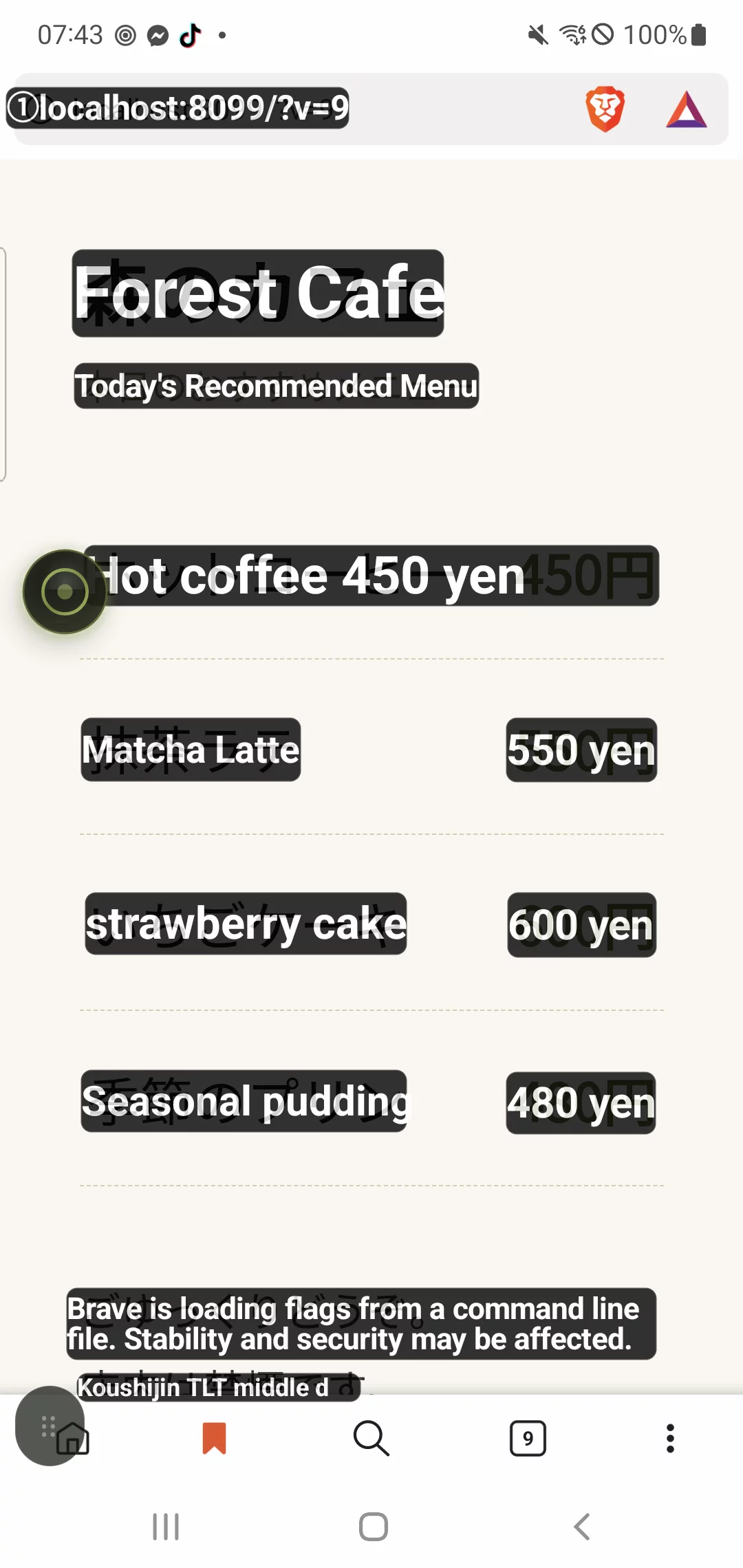
Full-screen translate overlays every line in place — dish names, prices, notes. FTouch OCR reads it, translation lands right on top.
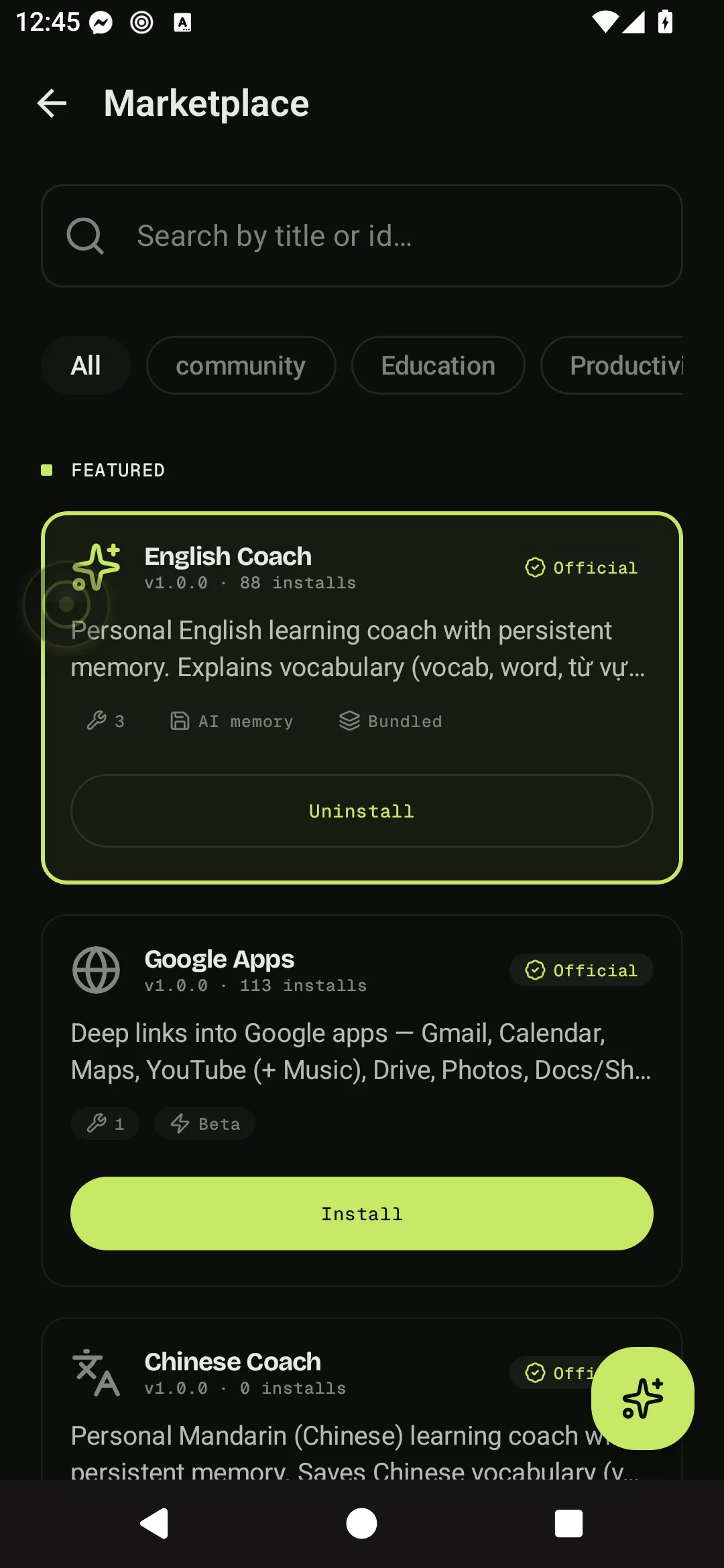
English Coach, Chinese Coach, Meta, Crypto Trading, Math/Physics Solver, Google Apps. One tap to install.
Install, grant one permission, tap the button. Done.
It is already on your screen. Drag it anywhere. Hide it when you do not need it.
Ask AI about anything on screen, or translate the whole screen. Two core actions, plus pocket tools when you need them.
Overlay shows up over whatever app you are using. No switching tabs. No copy-paste.
Everything else — packs, OCR, screenshots, sticky notes, shortcuts — builds on these two.
Screenshot is already there. Type the question, get the answer in the same frame. Five modes for the kinds of things you actually ask, plus six specialized AI Packs for IELTS, math, crypto, and more.
ML Kit when wifi dies. Claude when context matters. Auto-loop re-translates while you scroll. Overlay sits on top, original stays underneath. Nine engines, 50+ languages.
Each pack changes how Ask Screen behaves — purpose-built prompts, structured output, and tools tuned to one subject.
Phase-aware coach (warm-up, draft, review, master). Grades IELTS writing band 5 to 9, drills vocab from any screen, marks tone and register. Same flow for TOEIC, business email, and casual chat.
Step-by-step solutions for algebra, geometry, calculus, mechanics, electromagnetism. Renders LaTeX natively in the chat. Shows the worked steps before the final answer.
Live CoinGecko prices on a 30-coin whitelist. Reads chart screenshots — identifies support, resistance, candle patterns. Trader tone with a one-line disclaimer.
Same coach paradigm as English, tuned for Mandarin. Drills hanzi recognition, pinyin tones, common words. Simplified and Traditional both handled.
Live Google search plus weather, news, and price lookups. Replaces stale model knowledge with fresh facts when the question is about right now.
Deep-links into the full Google family — Gmail, Calendar, Maps, Drive, Docs, Sheets, Meet, Translate. Tap an answer, jump straight to the right app and the right view.
Three more packs in the queue. Built one feature at a time.
| Feature | Floaty Touch | ChatGPT app | Google Translate |
|---|---|---|---|
| Price | Free, or $99 once | $20 / month | Free |
| Floats over any app | Yes, floating button | No, full-screen only | Partial overlay |
| Auto-screenshot for AI | Built-in, 1 tap | Manual upload | — |
| Multi-turn screen memory | 90s smart reuse | Per chat | — |
| Translation engines | 9 (Claude / GPT / Gemini / ML Kit / +) | Its own model | 1 (Google) |
| Works offline | OCR, ML Kit translate | No | Some languages |
| Per-app conversation memory | Yes | No | — |
| Auto re-translate while scrolling | Auto-loop | — | Manual |
| Needs Accessibility Service | No | No | Yes for tap-translate |
Real reviews, copied verbatim from Play Store. Unedited, unfabricated. (Vietnamese, translated.)
“I only installed it to read novels and translate docs faster. Didn't expect it could actually review code on my phone. Even long docs and READMEs, it reads through and explains them really well, super convenient. Runs smooth, doesn't heat up even after long sessions.”
“Easy to use, convenient. Helps me a lot studying Chinese. Really useful.”
“App loads fast, lightweight, easy to use. The on-screen floating button makes language translation quick.”
“This one's solid, way better than other AI apps I've used, even better than the one my company gave me. 这很不错 💯”
“Good app, lots of smart features. Works well for students.”
“Fast translation, multi-language support, handy AI tools.”
The shortest version: nothing leaves your phone unless you tap. Here is the longer version.
No background capture. Ever. The screenshot pipeline only spins up when you tap Ask Screen, Translate, or Screenshot. Don't tap — no capture, no upload, no log.
Ask Screen images use hybrid RSA-2048 plus AES-256 encryption. Encryption keys live on-device. The server processes the image to answer your question, then discards it — nothing stored beyond the live request.
OCR, sticky notes, screenshots, app shortcuts, ML Kit translation in 50+ languages — all run on-device. No network call. No telemetry on what you translated.
Floaty Touch respects Android FLAG_SECURE. Banking apps, password managers, and Snapchat return black frames automatically. Same behavior as every other screen recorder on Android.
No subscription trap. Pay once — yours for good.
Watch a short ad — claim AI credits. Offline tools unlimited. Install it, try Ask Screen on whatever you are looking at, decide if it is for you.
Get on Google Play